Search This Blog

Thursday, September 4, 2014

4K Video Downloader


Features


          Download entire playlists and channels from YouTube and save them in MP4, MKV, M4A, MP3, FLV, 3G, generate .m3u file for playlists.

Download video in HD 1080p, HD 720p or 4K quality and enjoy high dimension video on your HD TV, iPad or other devices.

Advanced subtitles download, select if you would like to have .srt file or embedd subtitles in video file to watch it on your Mac for example.

Activate “Smart Mode” in order to apply the selected settings to all your downloads, easy and fast.

Download video in 3D format, you will find a small special icon among available formats after video parsing. It’s really impressive to watch live shows and cartoons in 3D.

Download embedded YouTube videos from any web pages, just copy/paste link and the program will find the source of download.

Download video and audio from Vimeo, SoundCloud, Flickr, Facebook and DailyMotion.

Use 4K Video Downloader on your PC, Mac or Linux, doesn’t matter what OS you prefer.


Connectify Hotspot


Turn your PC into a WiFi Hotspot and share Internet with all your devices


Easily Connect All your Devices to WiFi

Connectify Hotspot makes all your devices happy. This easy-to-use virtual router lets you share Internet from your laptop with your smartphone, tablet, media player, e-reader, other laptops, and even your nearby friends.

Share 3G, 4G, and Tethered Connections over WiFi - PRO

Got a 3G or 4G USB adapter or a tethering plan for your mobile phone? Connectify Hotspot PRO lets you share any Internet connection to keep all your devices online wherever you go.

Boost your WiFi Range with our Virtual Router - PRO

Connectify Hotspot PRO can even re-broadcast an existing WiFi signal, extending service to a hard-to-reach basement or bedroom - think of it as a virtual router that doesn't require expensive hardware.


Download

Windows7-USB-DVD-tool


       Here's where we begin the real work of getting that Windows 8 or Windows 8.1file in ISO format transferred to your flash drive or other USB storage device.

To do this, you'll need to download a free tool from Microsoft called the Windows 7 USB/DVD Download Tool. Don't worry that Windows 7 is in then name. Yes, it was originally designed for use as a way of getting a Windows 7 ISO onto a flash drive, but it works perfectly fine for Windows 8 and Windows 8.1 ISO images


Download

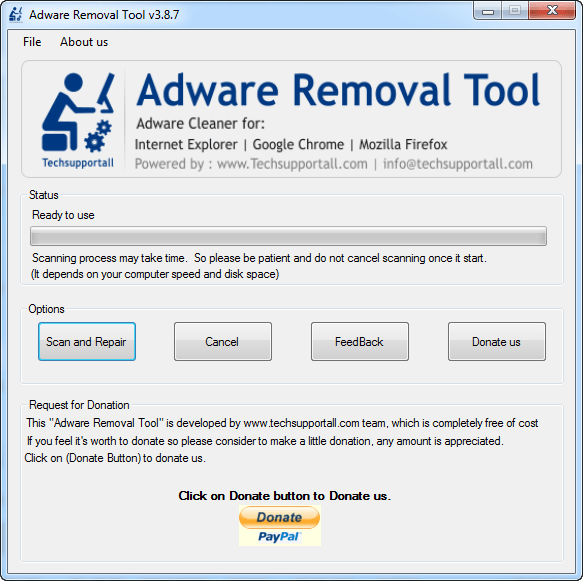
Adware-Removal-Tool


   Toolbars can decrease your Web browser's viewing space. This article explains how to remove unwanted toolbars in Internet Explorer, Mozilla firefox and Google Chrome.

Suspicious Programs List

  • Awesomehp
  • Browser defender
  • Browser protect
  • Browser protected by conduit
  • Delta search, Babylon
  • LessTabs
  • WebCake 3.0
  • Yealt
  • LyricsContainer
  • VideoSaver
  • AddLyrics
  • privacy safe gaurd
  • unfriend checker
  • Price peep today
  • Coupon amazine
  • TidyNetwork.com
  • DownloadTerms 1.0
  • Yontoo

Uninstall all the unwanted programs, which are not listed here.
Automatic Fixit

Download Adware Remover Tool v3.7 to remove Automatically from all of you browsers, This is a Freeware utility specially deigned for Adware Removal. This tool can remove adware from Internet Explorer, Firefox, Mozilla Firefox and their registry as well.

Unlocker 1.9.2


   If you've ever been unable to delete a file in Windows, and can't figure out what program's using it,
Unlocker is the solution.  Have you ever seen these Windows error messages?

Cannot delete folder: It is being used by another person or program
Cannot delete file: Access is denied
There has been a sharing violation.
The source or destination file may be in use.
The file is in use by another program or user.
Make sure the disk is not full or write-protected and that the file is not currently in use.

Unlocker can help! Simply right-click the folder or file and select Unlocker. If the folder or file is locked,
a window listing of lockers will appear. Simply click Unlock All and you are download.


IObit Driver Booster PRO


   Update Outdated Drivers Safely and Rapidly

 Support More Hardware Devices & Improve PC Performance 
Update Drivers 300% Faster with Just One Click 
Specialized Driver Tweaking for Top Gaming Experience 
Backup Drivers for Safe Restore


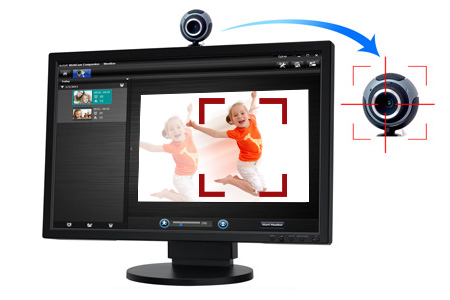
ArcSoft WebCam Companion


      Have more fun with your webcam in HD and 3D mode

Capture awesome HD and 3D images or videos with your webcam
Easy-to-use and smart photo/video editing tools
Share your artwork directly to YouTube, Flickr, and Twitter
Easy-to-use and smart photo/video editing tools
WebCam Companion 4 not only captures video clips and snapshots, but also adjusts and enhances them with easy-to-use and intuitive tools, such as brightness, contrast and sharpness controls, flip, resize or crop photos, dynamic lighting and de-noise.


AOMEI Partition Assistant


            AOMEI Partition Assistant Standard is a FREE disk partition management software which  has earned good reputation among worldwide users. It comes with so many powerful features that  you can completely control your hard disk and partition. For example, "Extend Partition Wizard"  enables you to increase partition size to completely solve low disk space problem, or you can flexibly  manage disk space with "Resize Partition", "Merge Partitions", "Spilt Partition" and "Copy Partition".


Download

Star dock. Object dock


Key Features

Access your shortcuts and applications from an animated dock
Add as many docks as you wish
Drag and drop application launching
Robust dock customization options
Windows 8/7 Support
And more!


CCleaner


     Your computer is not only at risk from being infected by malicious software, residues left after uninstalling applications and so-called junk files can significantly reduce performance. However, performing periodic scans and cleaning can keep your PC in good shape. One of the applications that can aid in this situation is CCleaner, equipped with all tools needed to scrub every bit of your computer.

Cleverly organized interface

Launching the application brings up a cleverly simple interface, intuitive enough to let anyone instantly accommodate. Major functions are stored in tabs found in a side panel, an upper part constantly displays system info, while the rest of the space is dedicated to actual options you get to handle.

Easily get rid of junk files

The “Cleaner” feature helps you get rid of various files that are no longer of use or take up disk space for no further reason. Two tabs let you select either Windows features or specific applications, each with its own list of areas to be cleaned. Amongst others you are able to select recent documents, autocomplete history, saved passwords, cookies or even old Windows installations.

You can simply analyze an area to see what needs cleaning so that you don't accidentally remove any important files. The scan process, as well as the scrubbing is done incredibly fast, with post-process details displayed.

Have broken registries fixed

Furthermore, you are also able to fix registry issues with the help of a dedicated tool. Similarly to the cleaner, there are several selectable areas, such as missing shared DLLs, ActiveX and Class Issues, obsolete software, start menu ordering or Windows services.


Multiple tools to work with

The application's usability does not end here, because more tools are available under the homonimous tab. An integrated uninstaller lets you safely remove applications so that they leave no traces, startup items can also be deleted, as well as browser add-ons or extensions and even context menu processes.

What's more, system restore points can be viewed in a list, with the possibility to have them removed for a little extra space or comfort. Last but not least, you can choose to wipe an entire drive, be it internal or removable, with the possibility to select either free space or whole drive, as well as the security level.

Using little system resources

Keeping an eye on your system's resources might come as a surprise, because CCleaner only takes advantage of as little as it can. Thus it can run on multiple configurations, not to mention the speed and quality at which it gets the job done.

A few last words

To sum it up, CCleaner is definitely a must for any computer, whether or not it is connected to the Internet. It takes little of your time to get you acquainted with what it has to offer, with light impact on system resources. It can definitely bring back a little power to any computer or even make it as good as new.


Download